Invite-only beta · free during beta

Need a CPM schedule but don't have a scheduler?

Describe the job in plain English — get a logic-linked CPM schedule, ready for your review, in minutes. Primavera P6 (.xer) and MS Project ready, run against DCMA-style checks, with a Basis of Schedule.

AI First Draft — your review makes it yours
What it does

A schedule workspace — from first draft to monthly update

The schedule is the job before it's built. Describe yours in plain language and Big State AI returns a working CPM schedule with the documentation a reviewer expects — then helps you keep it current, month after month.

A real CPM schedule

Plain-language scope becomes a critical-path schedule you can open in Primavera P6 (.xer), Microsoft Project, or as a Gantt — with 11×17 print-ready PDFs.

Documentation, written for you

Every schedule ships with an auto-documented Basis of Schedule and a plain-language narrative — the story of the job, already written down.

Update it monthly

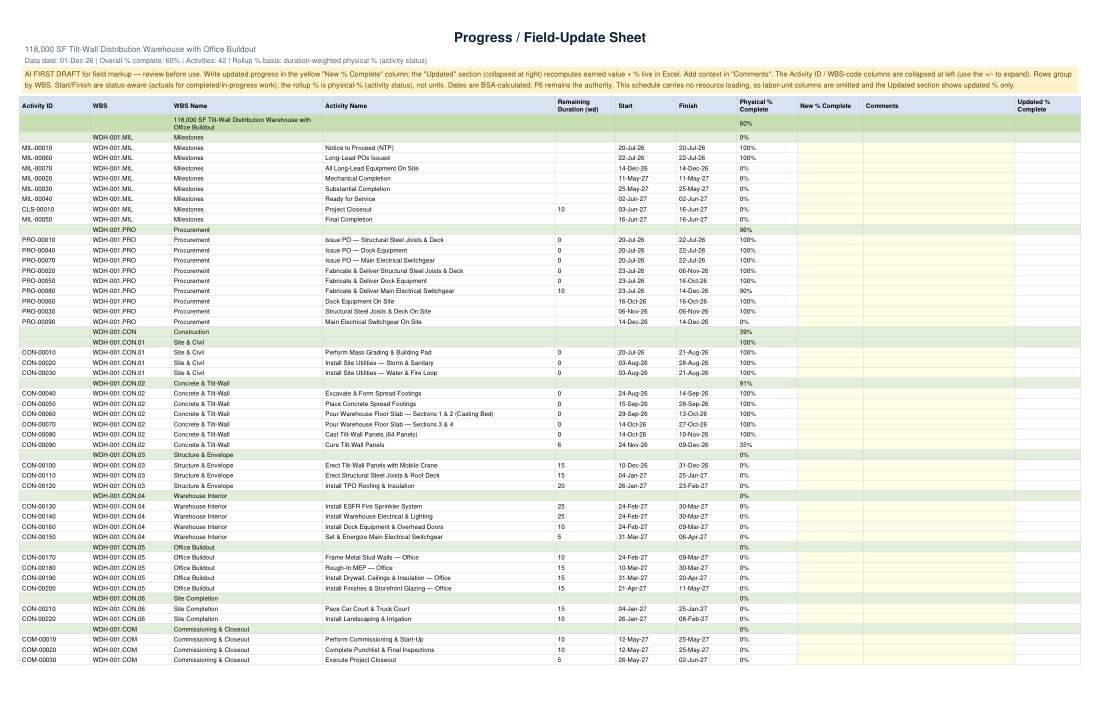
Mark progress, move the data date, preview the reforecast, and export the owner's package — look-ahead views, an executive summary, and a field-ready progress sheet. Set a baseline and see slip at a glance.

Quality checks built in

DCMA-style health checks — open ends, constraints, float, logic — with one-click fixes. Your judgment stays the final word.
How it works

Three steps, start to export

Describe the project

Tell Big State AI about the job in plain English — or start from your own estimate spreadsheet. Scope, milestones, the constraints you already know.

Generate the draft

It builds a draft CPM schedule plus the Basis of Schedule and narrative to go with it, run against DCMA-style health checks.

Review, revise, export

Adjust durations and logic — a built-in assistant answers questions as you go — then export to Primavera P6, MS Project, or a Gantt for your team.

See the output

Real schedules, real documents

Generated by Big State AI from fictional scopes — watermarked as a first draft for scheduler review. Every package also includes the native Primavera P6 (.xer) and MS Project (.xml) files.

Real schedules, four kinds of work

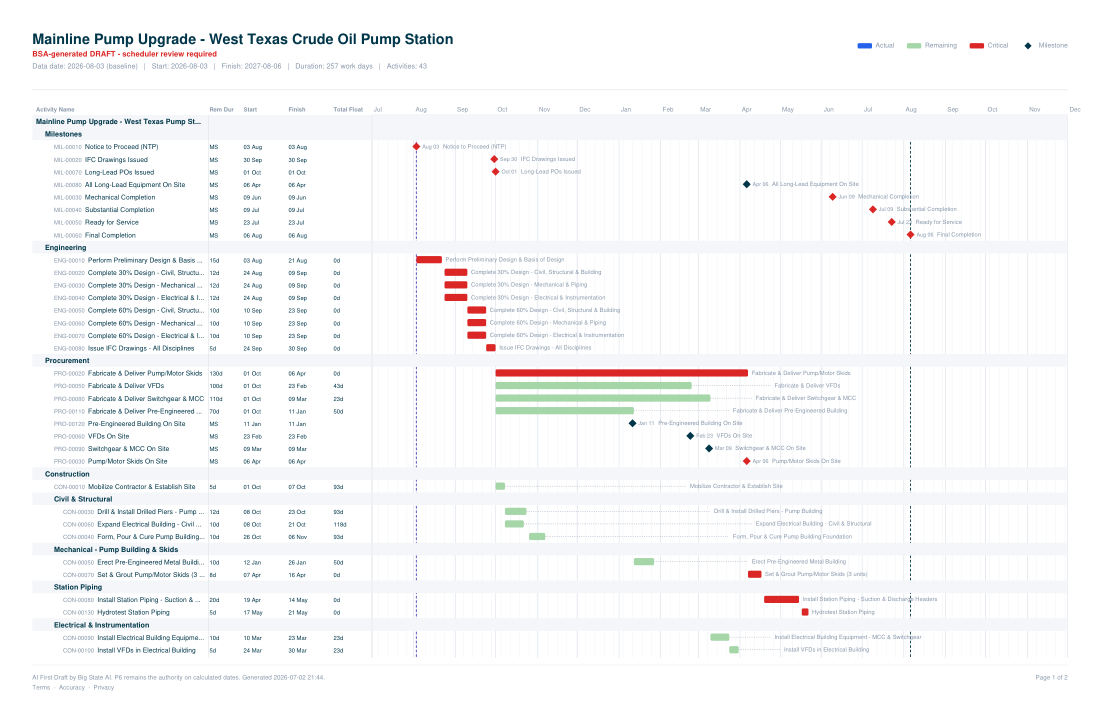
11×17 Gantt chart for a fictional oil & gas pump station upgrade

Oil & gas — pump station upgrade

Mainline pump replacement and station tie-in. The full EPC arc: issue-for-construction, long-lead procurement and deliveries, then mechanical → substantial → ready-for-service.

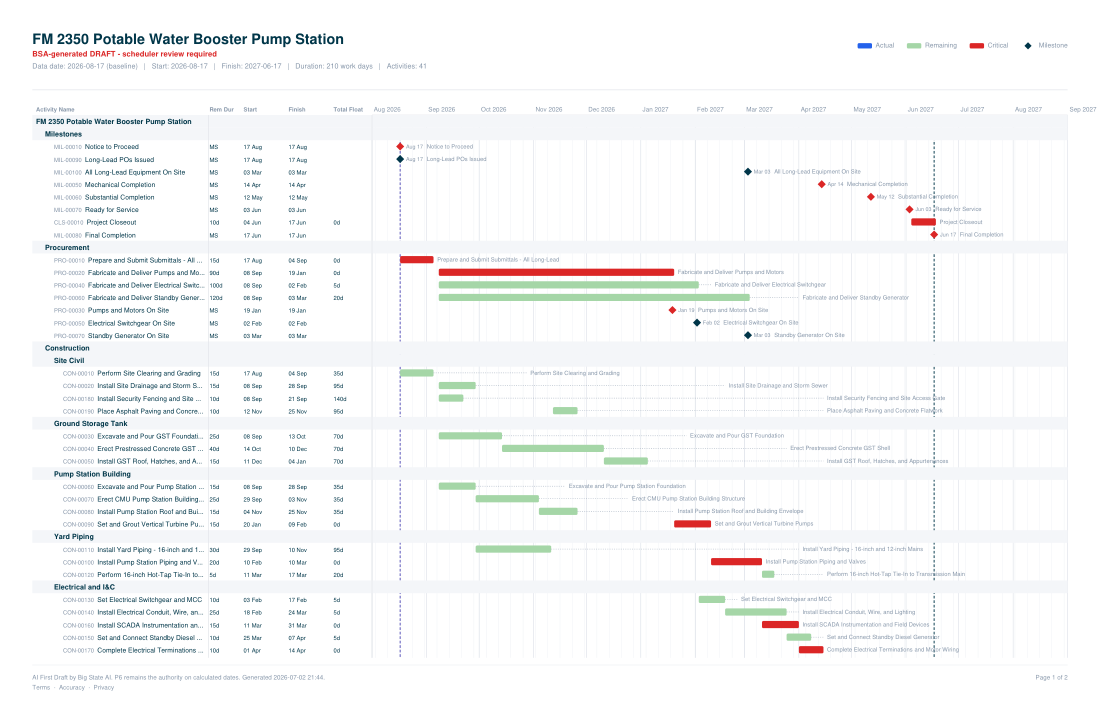
11×17 Gantt chart for a fictional municipal water booster pump station

Infrastructure — municipal water booster station

Ground storage tank, pump building, yard piping, and SCADA — with submittals and long-lead pumps, switchgear, and a standby generator on the critical path.

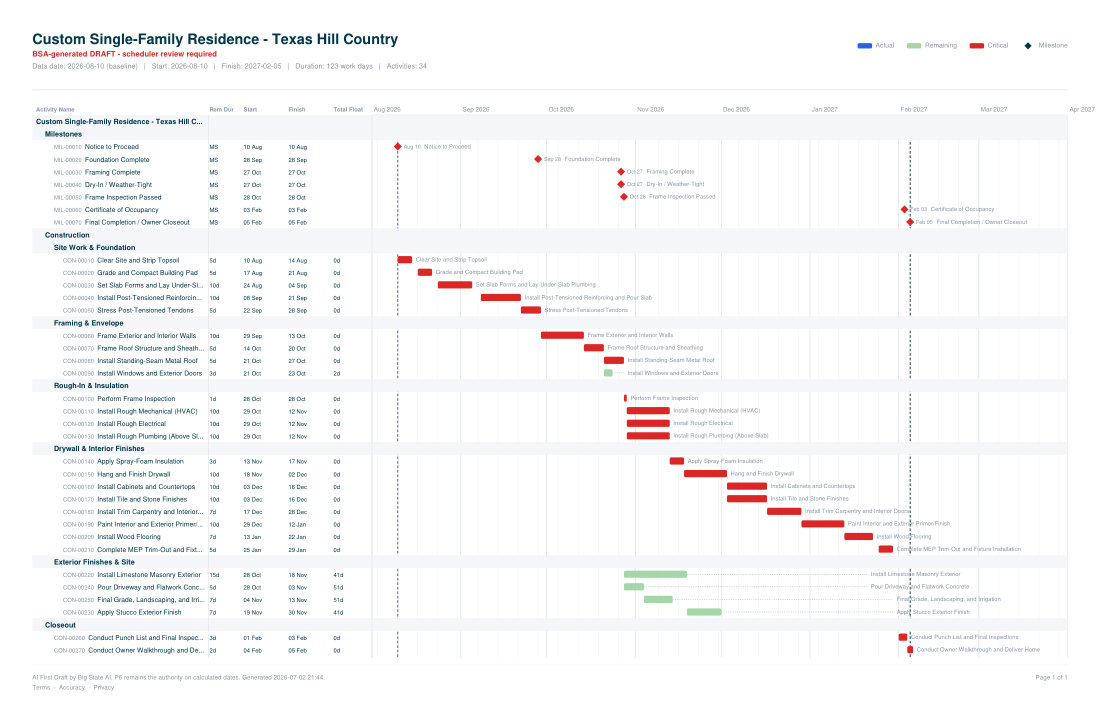
11×17 Gantt chart for a fictional custom single-family residence

Home build — custom single-family residence

A roughly six-month residential arc: post-tensioned slab, framing and dry-in, MEP rough-ins, interior finishes, and final inspections through the certificate of occupancy.

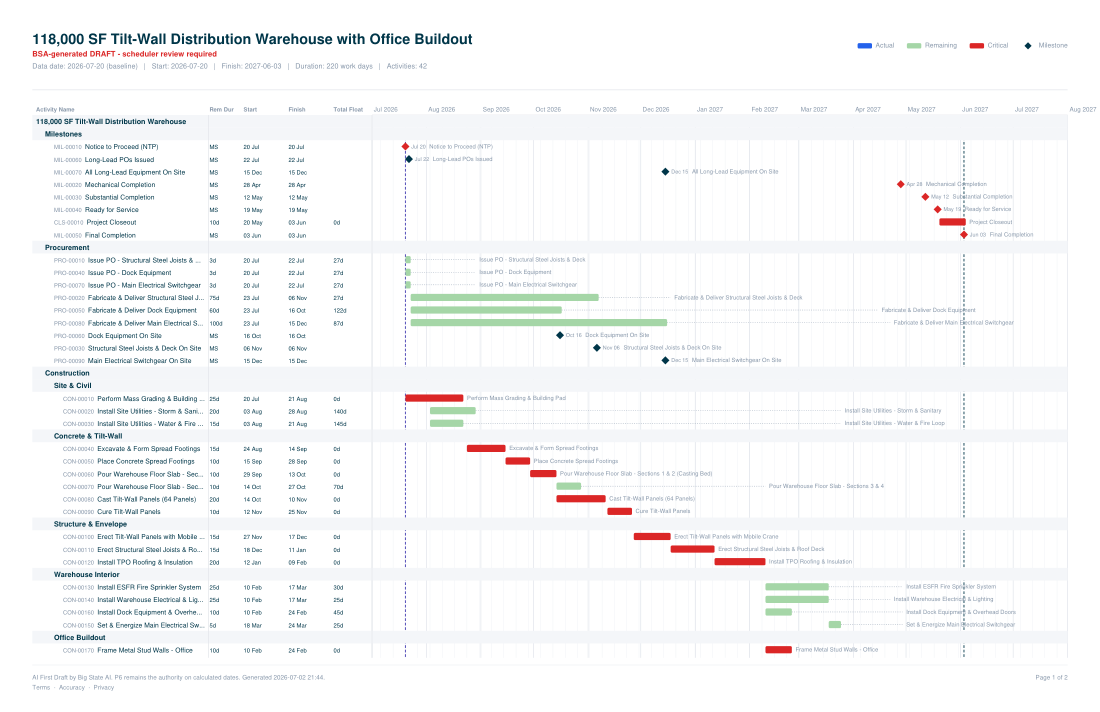
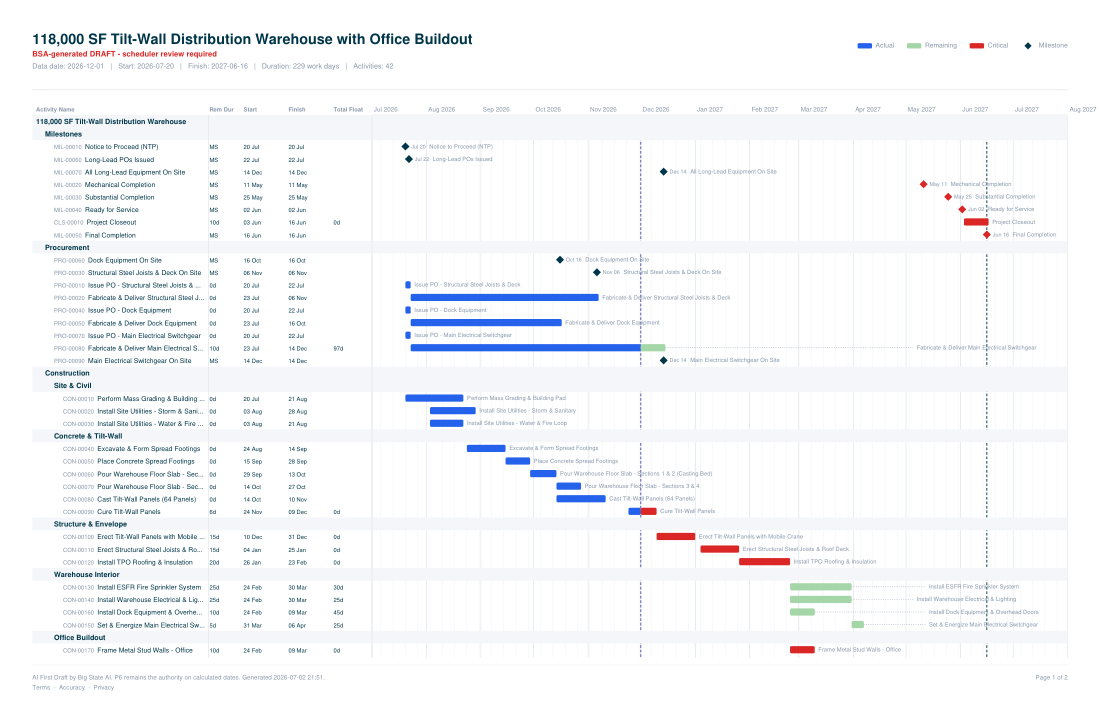
11×17 Gantt chart for a fictional tilt-wall distribution warehouse

Commercial — tilt-wall distribution warehouse

118,000 SF tilt-wall with an office buildout — the floor slab doubles as the casting bed, then panel cast / cure / erect, structural steel, roofing, and the interior fit-out.

The reports that come with them

One coherent package for the commercial warehouse above — the documentation generated alongside the schedule, and the monthly update that keeps it current.

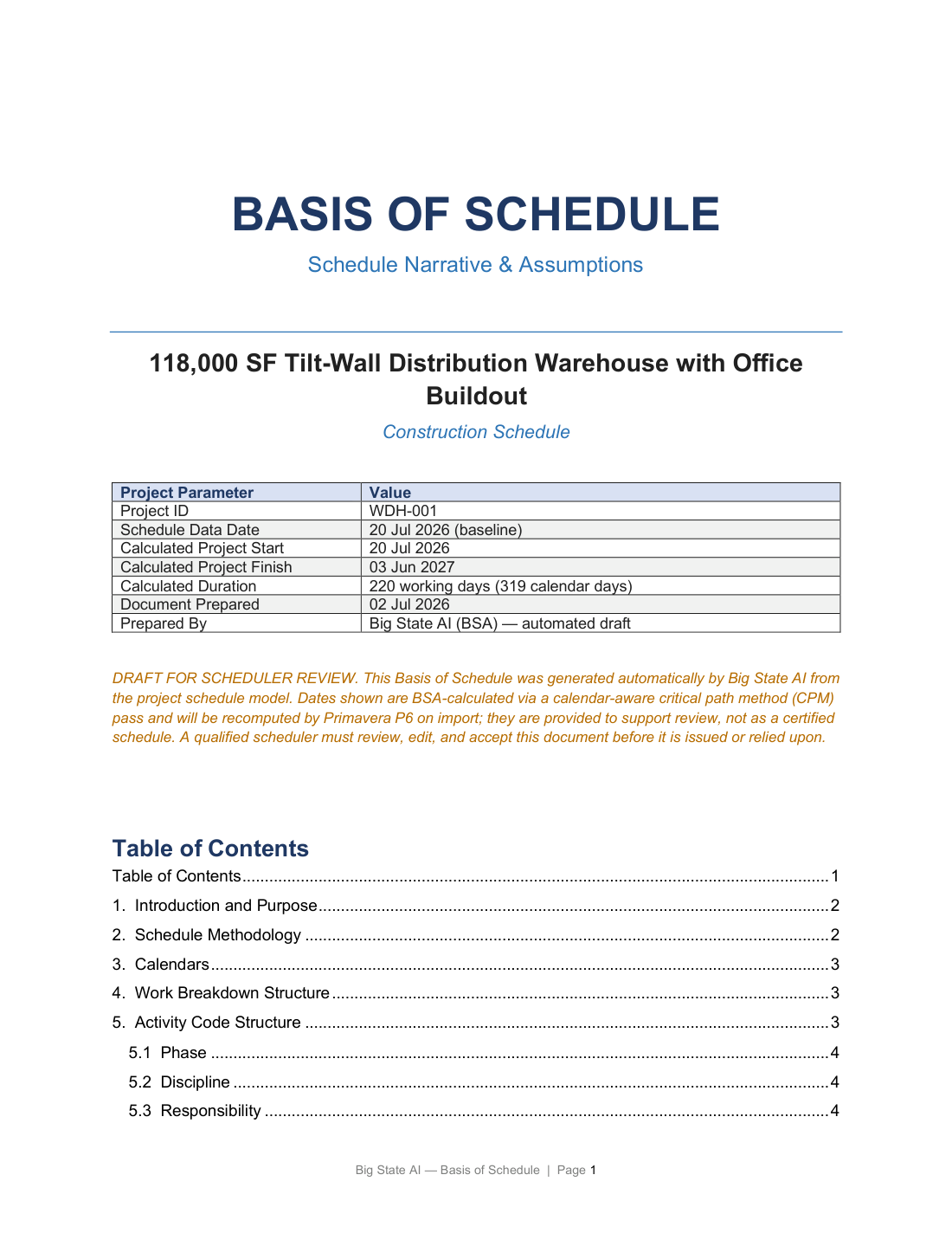
First page of the Basis of Schedule document

Basis of Schedule

The technical basis — methodology, calendars, WBS, activity-code structure, milestones, and the durations to review — auto-documented.

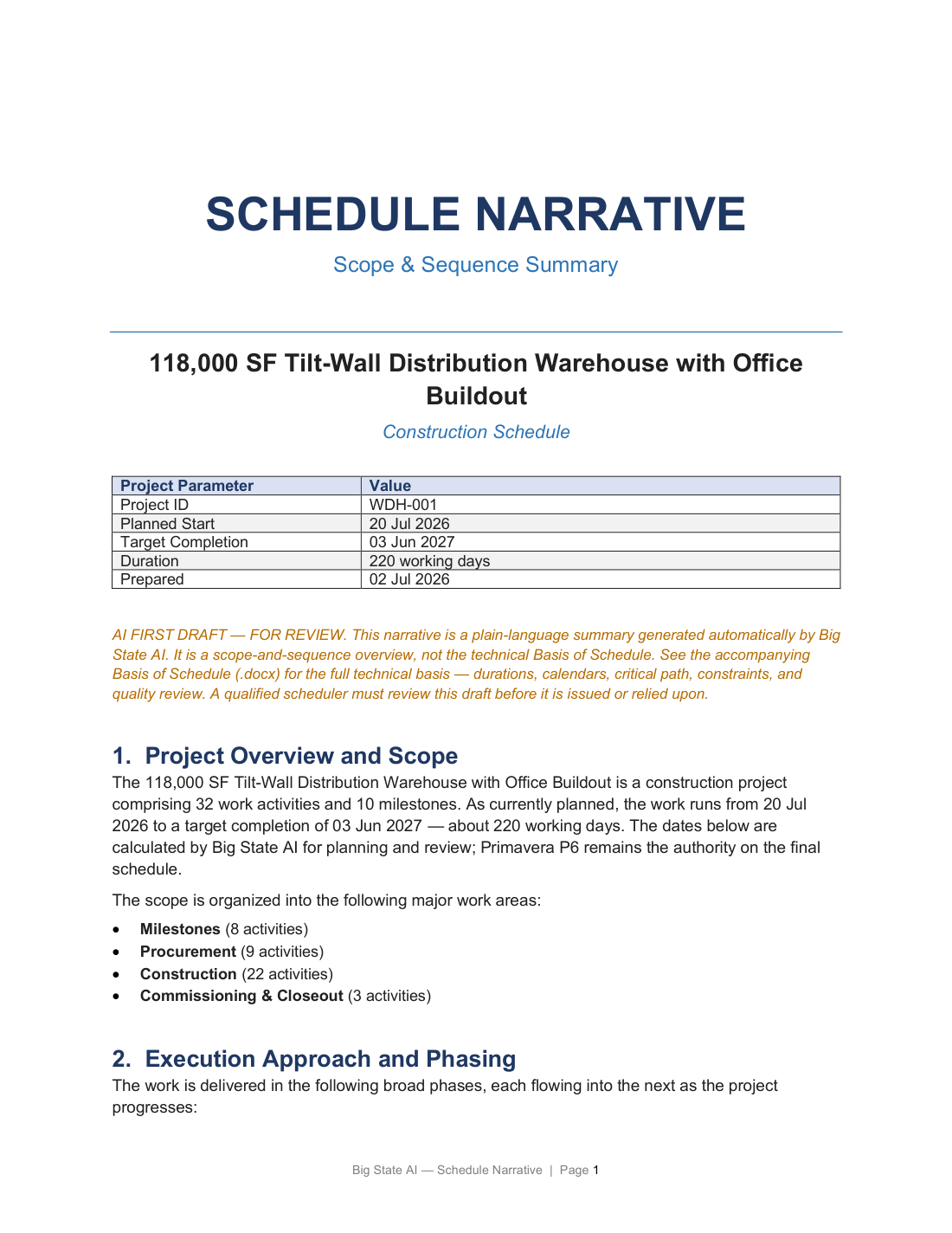
First page of the Schedule Narrative document

Schedule Narrative

A plain-language scope-and-sequence summary of the same job — the story of the work, written for the owner.

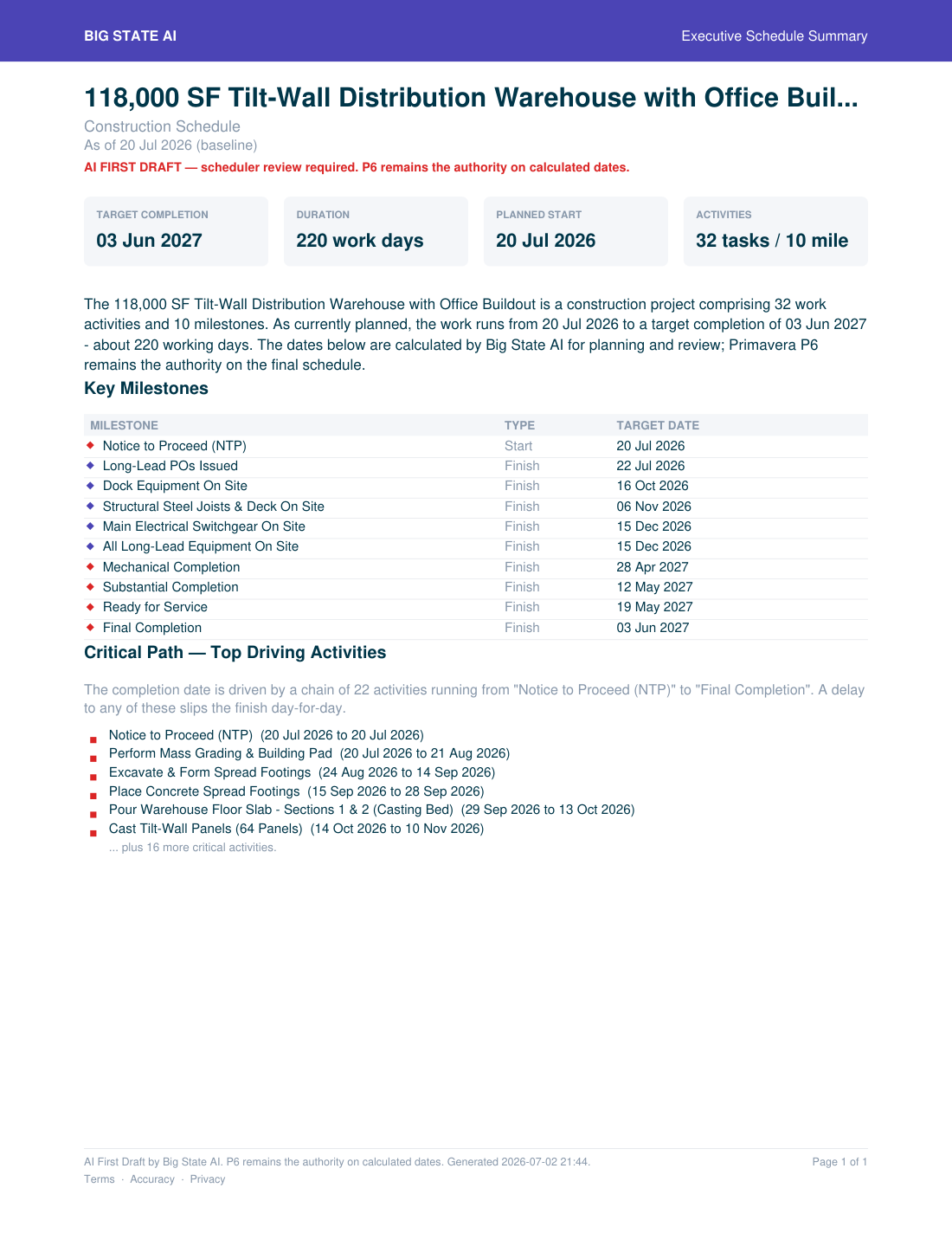
Executive one-page schedule summary

Executive Summary

One page: target completion, duration, key milestones, and the chain of activities driving the finish.

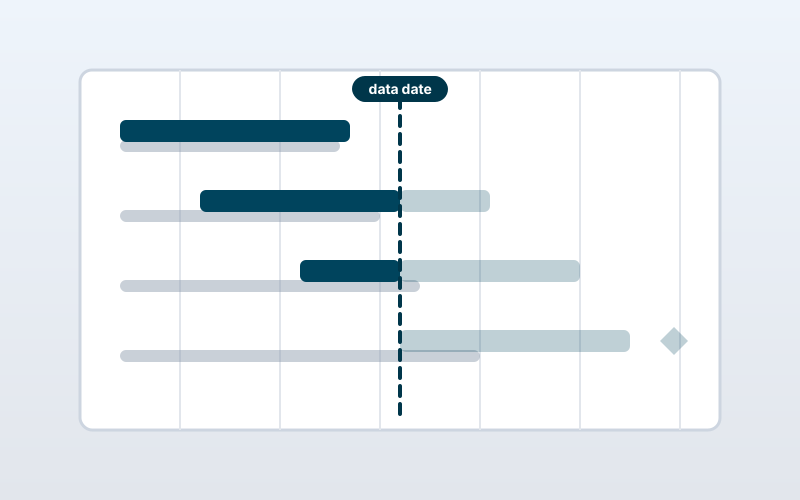
Progressed Gantt showing actual and forecast split at the data date
Monthly update

Progressed Gantt

The same schedule, updated to a December data date — actual work in blue, remaining forecast to the right of the data-date line.

WBS-grouped field progress sheet
Monthly update

Field Progress Sheet

A WBS-grouped sheet the field marks up each month; the new percentages roll up to a live earned-value update. Delivered as an Excel workbook.

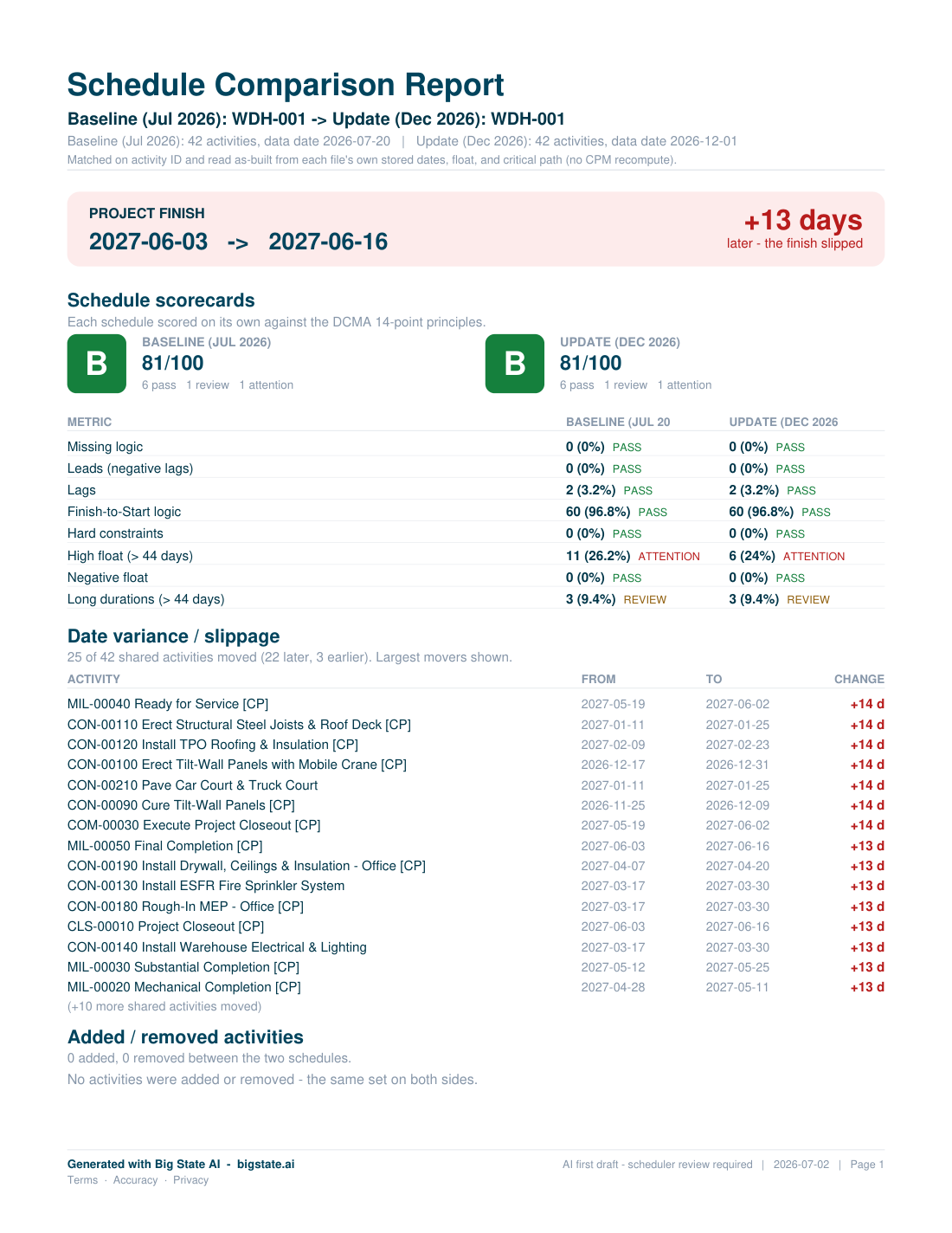
Schedule comparison report — baseline versus the update
Monthly update

Schedule Comparison

Baseline versus the update — the finish slipped 13 days — with the biggest movers and both DCMA-style scorecards side by side.

A professional first draft — not the final word

Big State AI produces a professional first draft. Activities, logic, durations, and dates are generated from your inputs plus assumptions and exclusions — not all of which appear in the output.

It's not a certified deliverable — every schedule needs review and certification by a qualified scheduler before any use or submission. P6 remains the authority on calculated dates. We build that into the product on purpose — it's how good schedules get made.

Who's behind it

Built by a project controls professional

17+ years of Primavera P6 baselines, with PMP and PSP certifications. Our founder learned the craft from mentors who drew schedules on paper and ran the forward and backward pass by hand; that hand-me-down judgment is what Big State AI encodes.

Who it's for

Built for the builder without a full-time scheduler

The $1M–$50M contractor is underserved by enterprise scheduling tools. Big State AI gives your team a fast, defensible starting point — so a qualified reviewer spends their time validating a draft, not building one from scratch.

Access

Request early access

Big State AI is invite-only and free during beta — plans and pricing come at launch. Join the launch list and we'll reach out with an invitation.

Request access

We review every request personally. Tell us a little about you.